24/7 Remote Support Available Same-Day Help Serving Home Users & Small Businesses

Need Fast IT Support? We’re Ready to Help

Get help with slow computers, Wi-Fi problems, printer setup, malware issues, email support, and device troubleshooting — with simple, reliable support from AidveraTech.

Fast help for common computer problems Home and small business IT help Friendly support you can understand Remote and home support available
AidveraTech technician providing friendly IT support
Fast Response Times
99% Customer Satisfaction
24/7 Expert Assistance
Unlimited Guidance & Support
Secure & Trusted Help

Support Built for Real Everyday Tech Problems

Whether you need home computer help or reliable small business IT support, AidveraTech provides clear, practical solutions without the technical jargon.

Home Computer Users

Computer support for home users, including laptops, and other devices.

Work-From-Home Users

Keep your home office running smoothly and securely.

Seniors & Non-Tech Users

Patient, simple explanations for any tech problem.

Families with Multiple Devices

Support for every device in the household.

Freelancers & Small Businesses

Reliable IT support without the enterprise price tag.

Users Needing Quick Answers

Fast, clear help for the most common tech frustrations.

Our IT Support Services

From quick fixes to full setups, we cover the tech problems that matter most to home users and small businesses.

Computer Troubleshooting

Diagnose and fix crashes, errors, freezing, and startup problems on desktops and laptops.

Get Help Now
Wi-Fi & Network Help

Fix slow Wi-Fi, dead zones, connection drops, and router configuration issues.

Get Help Now
Virus & Malware Removal

Remove viruses, spyware, and malware to restore your computer's safety and speed.

Get Help Now
Smartphone & Tablet Support

Help with setup, troubleshooting, app issues, and syncing across your mobile devices.

Get Help Now
Data Backup & Recovery

Protect your files with backup solutions and recover lost or deleted data.

Get Help Now
Software Installation & Updates

Install, configure, and update software safely to keep your system current and secure.

Get Help Now
Device Setup & Optimization

Set up new computers, transfer data, and optimize settings for best performance.

Get Help Now
Email & Account Help

Fix email problems, recover accounts, and set up email clients on all your devices.

Get Help Now
Slow Computer Cleanup

Remove junk files, disable bloatware, and speed up your computer's performance.

Get Help Now

Ready to Solve Your IT Issue?

Let AidveraTech help you fix everyday computer problems with clear support and fast response.

Common Computer Problems and Their Solutions

Wondering what's wrong with your computer? Browse common issues below — and let us help you fix them.

Is Your Computer Running Slow?

Slow performance can be caused by too many startup programs, low storage, outdated software, or malware. A professional cleanup can restore speed.

Get Help
Why Is My PC Restarting Randomly?

Random restarts often point to overheating, driver conflicts, or Windows update issues. We diagnose and fix the root cause.

Get Help
Why Is My Internet Not Working?

Connection drops can result from router problems, ISP issues, or incorrect network settings. We'll get you back online.

Get Help
Computer Won't Turn On?

A PC that won't start might have power supply, battery, or motherboard issues. We help identify the problem remotely or guide you step by step.

Get Help
Programs Stop Responding?

Freezing applications usually indicate memory issues, software conflicts, or corrupted installations. We troubleshoot and resolve them.

Get Help
USB Devices Aren't Recognized?

Unrecognized USB drives or peripherals can stem from driver issues or port problems. We fix connectivity quickly.

Get Help
How to Fix Low Storage Space

Running out of disk space affects performance. We help clean unnecessary files and optimize your storage.

Get Help
Mouse or Keyboard Not Working?

Input device issues can be hardware-related or driver-based. We diagnose and resolve them so you can get back to work.

Get Help
Sound or Audio Issues?

No sound, crackling, or audio cutting out can be fixed by updating drivers, checking settings, or resolving hardware conflicts.

Get Help
Black Screen or Display Issues?

A black screen can mean display driver problems, loose connections, or system errors. We walk you through the fix.

Get Help
Computer Stuck on Startup?

Boot loops and startup hangs are often caused by corrupted system files or failed updates. We restore normal startup.

Get Help
Wi-Fi Not Detecting Networks?

If your PC can't find Wi-Fi networks, it may be a driver or adapter issue. We get your wireless working again.

Get Help
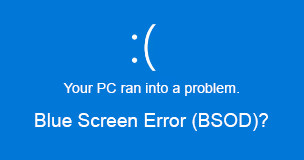
Blue Screen Error (BSOD)?

Blue screen errors are usually caused by hardware failures or driver issues. We identify the error code and fix the problem.

Get Help
Remove Viruses & Malware

Pop-ups, redirects, and slow performance can mean infection. We remove threats and secure your system.

Get Help

How We Deliver Reliable Support

Getting help is simple. Here's our straightforward process from start to finish.

1
Tell Us the Problem

Describe your issue through our form, phone, or email. We listen carefully.

2
We Diagnose the Issue

Our team reviews your problem and identifies the best, fastest solution.

3
We Fix It

We connect securely to your device or guide you step by step to resolve it.

4
You're Back on Track

Your device is running smoothly again — faster than you expected.

Why People Choose AidveraTech

We're not a giant faceless IT company. We're a team of real people who genuinely care about helping you solve tech problems without the stress or confusion.

Get Started Today
Easy-to-Understand Support

We explain things in plain language, not tech jargon.

Fast Response

Most issues are addressed the same day you reach out.

Clear Communication

You'll always know what we're doing and why.

Honest Recommendations

We suggest only what you actually need — nothing more.

Simple & Complex Issues

From basic questions to frustrating errors, we handle it all.

Safe Remote Support

Encrypted sessions where you stay in control of your screen.

What Our Clients Say

Real feedback from real people we've helped with everyday tech problems.

"My laptop was crawling. AidveraTech cleaned it up remotely in under an hour. It feels brand new!"

Sarah M. — Home User

"They set up our office Wi-Fi and connected all our printers. Everything works perfectly now."

James T. — Small Business Owner

"I had a virus that kept popping up warnings. They removed everything and made my computer safe again."

Linda P. — Home User, Queens

"Quick, clear, and affordable. They helped me recover files I thought I'd lost forever."

Robert K. — Freelancer

"My printer wouldn't connect no matter what I tried. AidveraTech figured it out in 20 minutes."

Maria G. — Home User, Brooklyn

"My VPN kept disconnecting during meetings. They fixed the network issue and now it's rock solid."

David W. — Remote Worker

"I'm not tech-savvy at all, but they explained everything patiently. I finally have my email working right."

Helen R. — Retired, Home User

"They upgraded our whole office to Windows 11 with zero downtime. Very professional team."

Tom S. — Small Business Owner

"My son's computer had so much junk on it. They cleaned malware, set up parental controls, and it runs great."

Angela C. — Home User, NJ

"I couldn't figure out why my screen kept going black. They diagnosed it remotely and fixed a driver issue."

Chris L. — Freelancer

"Set up my new laptop, transferred all my files, and even helped me organize my desktop. Wonderful service."

Patricia N. — Home User

"We use them for ongoing IT support. Whenever something breaks, they fix it fast. Highly recommend."

Mike D. — Small Business, Manhattan

"Zoom kept crashing during presentations. AidveraTech optimized my system and it hasn't happened since."

Jennifer A. — Remote Worker

"My old desktop was so slow I almost threw it away. They cleaned it up and now I'm keeping it."

George B. — Home User, Bronx

"Helped me set up a secure home network with a new router. Patient, friendly, and very knowledgeable."

Susan E. — Home User

"My laptop was crawling. AidveraTech cleaned it up remotely in under an hour. It feels brand new!"

Sarah M. — Home User

"They set up our office Wi-Fi and connected all our printers. Everything works perfectly now."

James T. — Small Business Owner

"I had a virus that kept popping up warnings. They removed everything and made my computer safe again."

Linda P. — Home User, Queens

"Quick, clear, and affordable. They helped me recover files I thought I'd lost forever."

Robert K. — Freelancer

"My device wouldn't connect no matter what I tried. AidveraTech figured it out in 20 minutes."

Maria G. — Home User, Brooklyn

"My VPN kept disconnecting during meetings. They fixed the network issue and now it's rock solid."

David W. — Remote Worker

"I'm not tech-savvy at all, but they explained everything patiently. I finally have my email working right."

Helen R. — Retired, Home User

"They upgraded our whole office to Windows 11 with zero downtime. Very professional team."

Tom S. — Small Business Owner

"My son's computer had so much junk on it. They cleaned malware, set up parental controls, and it runs great."

Angela C. — Home User, NJ

"I couldn't figure out why my screen kept going black. They diagnosed it remotely and fixed a driver issue."

Chris L. — Freelancer

"Set up my new laptop, transferred all my files, and even helped me organize my desktop. Wonderful service."

Patricia N. — Home User

"We use them for ongoing IT support. Whenever something breaks, they fix it fast. Highly recommend."

Mike D. — Small Business, Manhattan

"Zoom kept crashing during presentations. AidveraTech optimized my system and it hasn't happened since."

Jennifer A. — Remote Worker

"My old desktop was so slow I almost threw it away. They cleaned it up and now I'm keeping it."

George B. — Home User, Bronx

"Helped me set up a secure home network with a new router. Patient, friendly, and very knowledgeable."

Susan E. — Home User

Support for Home and Business

Whether you need help with a single home laptop or an office full of workstations, AidveraTech provides the right level of support. We handle everything from home device troubleshooting and network setup to office workstation configuration and ongoing IT maintenance.

  • Home device troubleshooting
  • Home network & Wi-Fi support
  • Printer and laptop setup
  • Office workstation configuration
  • Software issues & account access
  • Day-to-day tech problems

Ensuring a Safe Digital Environment for Your Home

Your family's digital safety matters. We help you set up the right protections so everyone in your household can use technology with confidence.

Parental control setup and guidance for safe browsing
Secure browsing configuration and ad-blocker setup
Regular device health checks to catch problems early
Safe software installation from trusted sources only
App and account security basics including password management
Malware prevention and real-time protection setup

80+

Common Issues Solved Weekly

15+

Years Supporting Everyday Users

1250+

Devices Assisted

99%

Support Satisfaction Rate

Frequently Asked Questions

Quick answers to the most common questions about our IT support services.

We offer computer troubleshooting, printer setup, Wi-Fi help, virus removal, device setup, data backup, software installation, email support, and more for home users and small businesses.

Yes! Most issues can be resolved remotely. We connect securely to your computer and fix problems without needing to visit your location.

Absolutely. Printer connectivity and Wi-Fi configuration are among our most common requests. We handle routers, extenders, and wireless printer setups.

Yes, we serve both. Whether you need help with a single home laptop or an office with multiple workstations, we're here for you.

We use professional-grade scanning tools to detect and remove all threats, then secure your system with updated protection and safe browsing settings.

Yes. We troubleshoot boot failures, startup loops, black screens, and power issues either remotely or by guiding you through diagnostic steps.

We do. We help with setup, app issues, syncing, connectivity, and basic troubleshooting for iOS and Android devices.

Yes. We use encrypted, industry-standard remote access tools. Your session is private and you remain in control of your screen at all times.

Most requests are addressed the same day. For urgent issues, we prioritize fast response to minimize your downtime.

Yes, we offer same-day support for most common issues. Contact us early in the day for the best availability.

Don't Let Tech Problems Slow You Down

Get fast, friendly IT support from a team that speaks your language. Contact AidveraTech today.

Need IT Support? We're Here to Help

Fill out the form or call us directly. We respond to most requests the same day.

Request Support
Call for Immediate Help
Call Us
Visit Us

2232 Dell Range Blvd
Cheyenne, WY, 82009

Call Now Request Support